
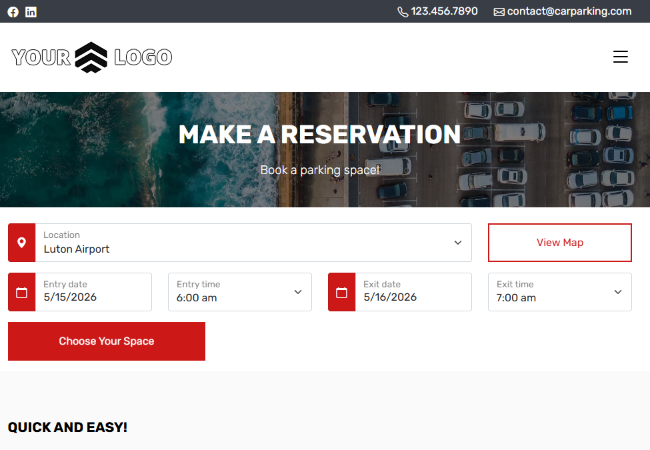
Start every booking with location and schedule selection
Location Selection
Let customers choose the parking location where they want to leave and collect their vehicle. If you manage one location only, customers will skip this option.
Entry and Exit Date/Time
Provide clear date and time pickers for entry and exit to calculate availability and pricing instantly in your parking reservation system.
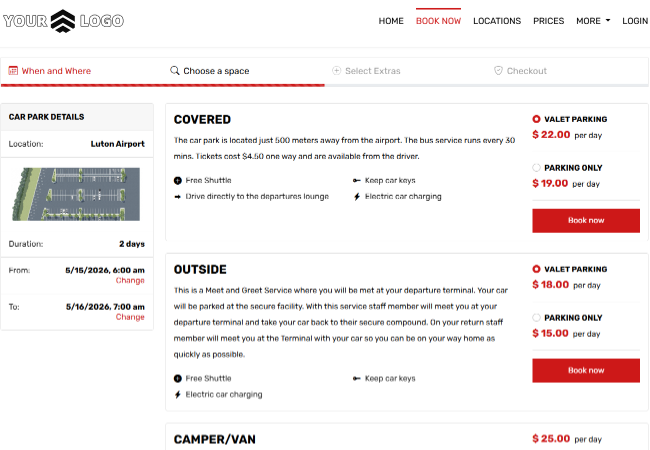
Select parking spaces and optional extras
Parking Space Selection
Allow customers to choose the most suitable parking space type based on availability and preferences.
Extras Selection
Offer add-on services during booking so customers can include extras before checkout.
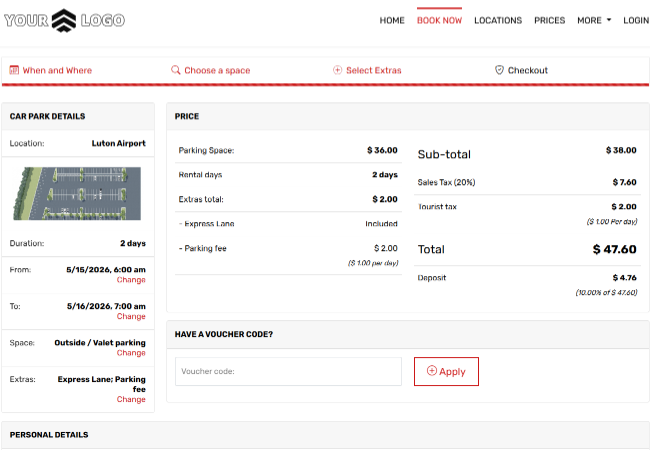
Move to checkout with pricing and voucher support
Checkout Form
Capture all required booking details in a clear and user-friendly checkout process for your car parking booking system.
Voucher Code Field
Allow customers to apply promo codes and instantly update totals during checkout.
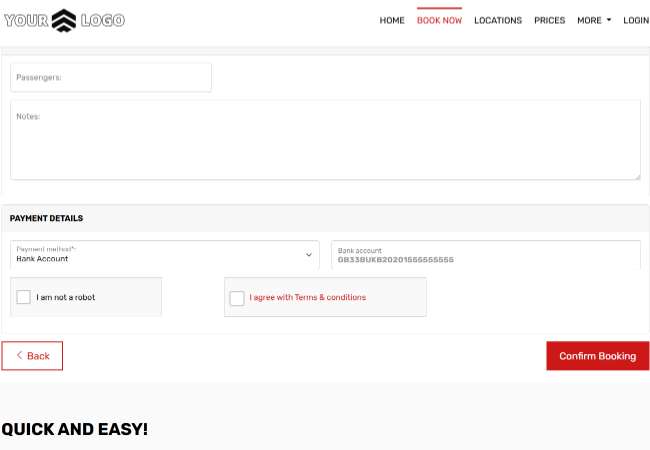
Complete payment and terms acceptance step
Payment Method Selection
Let customers select their preferred payment method before placing a reservation, including various payment gateway options as well as offline payment methods if activated.
Terms Acceptance
Require acceptance of terms and conditions to ensure compliant and transparent bookings. Software admins can also display complete terms and request an online signature during the booking process.
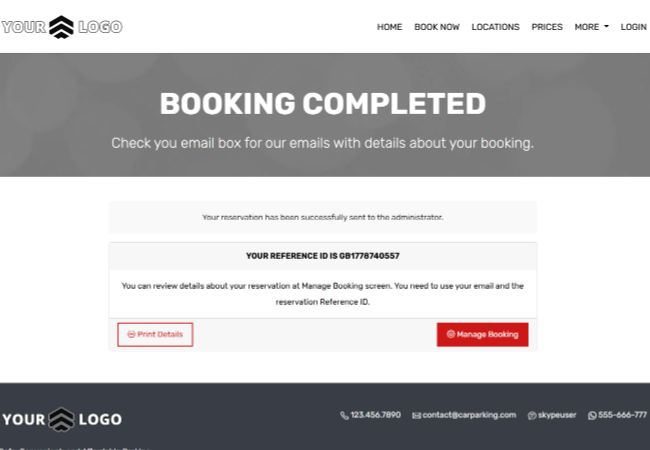
Show clear confirmation after successful booking
Booking Confirmation
Display a clear confirmation screen with reservation details immediately after checkout in VEVS Parking Reservation Software.
Step-by-Step Reservation Flow
Guide customers from location to confirmation with a predictable and conversion-focused experience in your parking booking software.