
Manage one or multiple locations in your parking reservation system
Multi-Location Support
Run a single car park or manage multiple parking locations from the same back-office system.
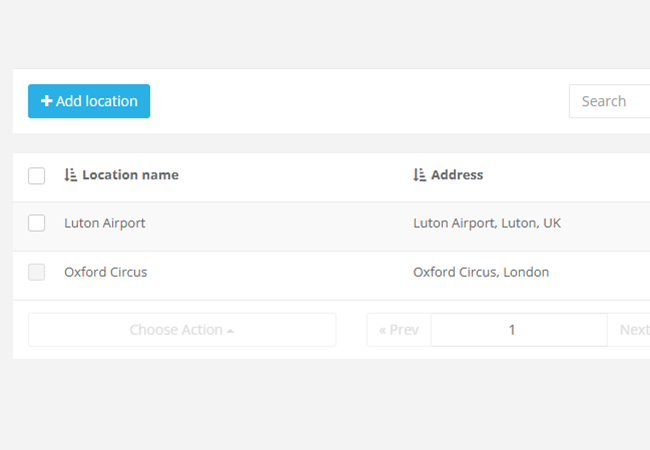
Location List
View each location with its name, address, number of parking space types, available spots and active status.
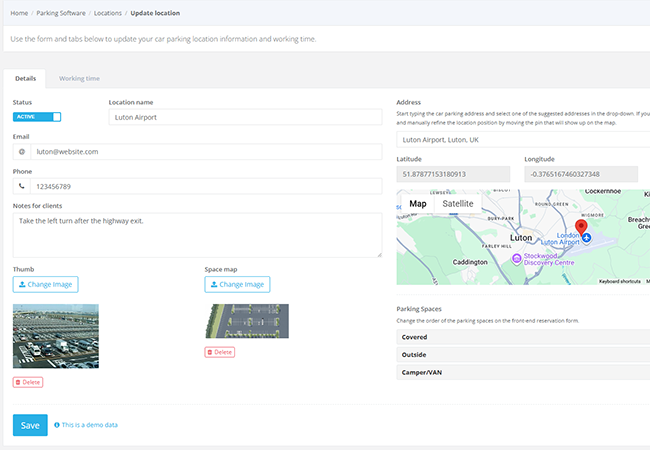
Complete location details with maps and images
Address & Google Map
Add the location address, latitude, longitude and map preview so customers can easily find the parking facility in your parking booking system.
Images & Instructions
Upload thumbnail images, space maps and client notes to present each location professionally online.
Parking space types and capacity control options
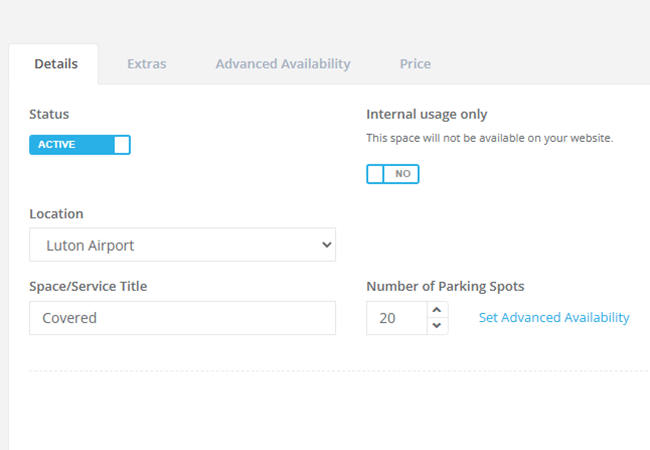
Parking Space Types
Create covered, outdoor, indoor, valet, parking only or camper spaces with their own descriptions and settings.
Capacity Control
Set the number of parking spots for each space type and track occupied and available spaces in real time across your parking reservation system.
Parking facilities and internal-use spaces
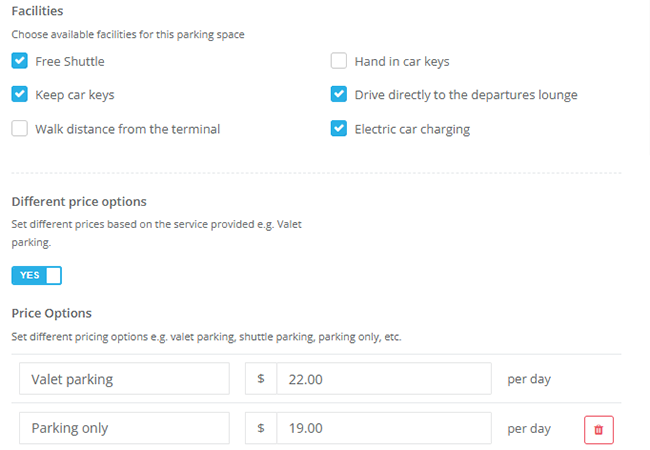
Facilities
Show facilities such as free shuttle, key handling, electric charging, terminal distance or direct departure lounge access.
Internal-Use Spaces
Keep selected parking spaces hidden from the website and reserve them for back-office or special operational use in your parking booking system.
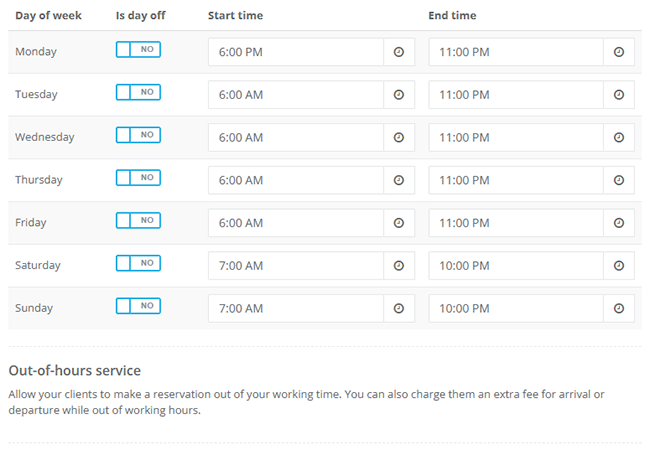
Working hours, out-of-hours service and ordering
Location Working Time
Configure weekly schedules, days off, special dates and out-of-hours entry or exit rules for each location.
Space Ordering
Control the order of parking spaces and services so customers see your preferred options first during booking in your parking reservation software.