
All parking reservations in one back-office dashboard
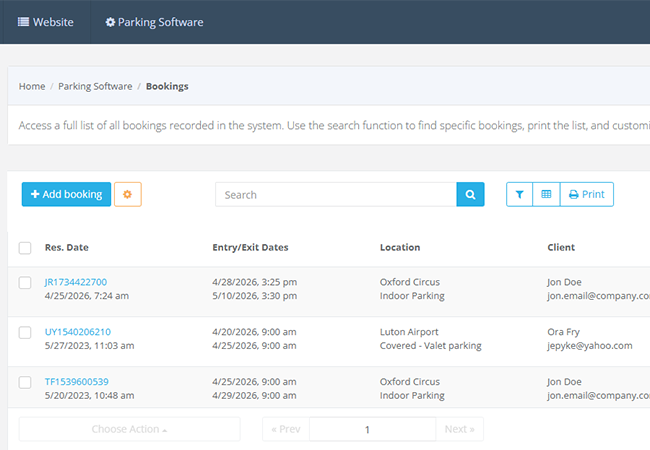
Bookings List
View reservation date, entry and exit times, location, parking space, client details, price, reservation status and vehicle status in one table inside your parking booking system.
Search, Filter & Print
Find bookings quickly, filter by location, customise table views, print booking lists and use bulk actions for faster daily work.
Complete reservation details with customer and vehicle data
Reservation Workspace
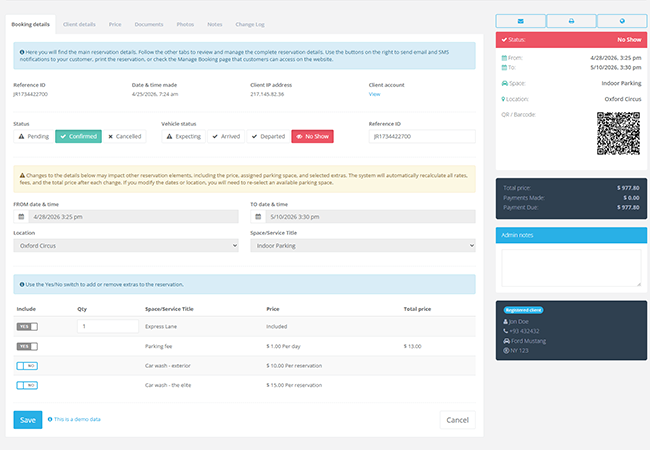
Open each reservation to manage booking details, client details, pricing, documents, photos, notes and change history from one screen in VEVS Parking Reservation Software.
Customer & Vehicle Details
Store personal details, billing details, car details, flight information, passengers and additional notes for each booking in your car parking reservation system.
Reservation and vehicle status control
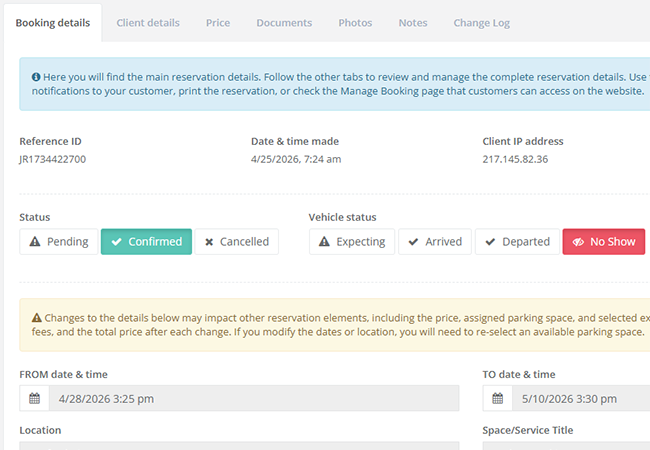
Booking Statuses
Track reservations as pending, confirmed or cancelled so staff always know which bookings in the parking booking system need attention.
Vehicle Statuses
Monitor whether each vehicle is expecting, arrived, departed or marked as no-show for accurate onsite control.
Pricing, payments and reservation changes
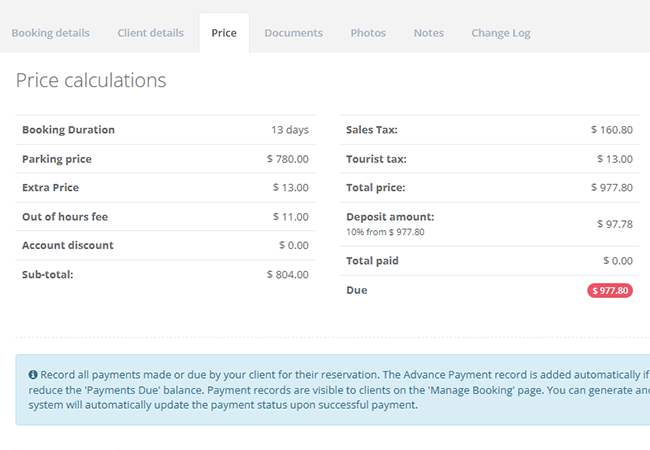
Price & Payment Tracking
Review detailed pricing summary: booking duration, parking price, extras, taxes, discounts, deposit, total, as well as paid amount and balance due.
Change Requests
Handle customer change requests, surcharges and request statuses directly inside your car parking booking system, while keeping the full reservation history organised.
Documents, photos, notes and full change log
Documents & Photos
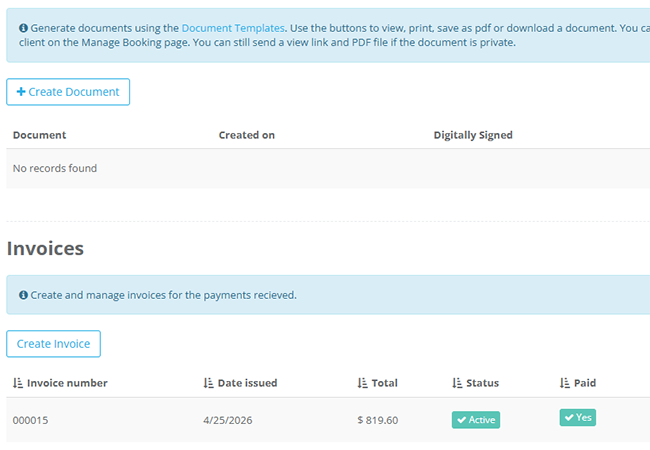
Create reservation documents, send PDFs, manage invoices and upload vehicle photos to document condition on arrival or departure in your parking reservation software.
Notes & Change Log
Add private internal notes and track every important reservation change for better accountability and team coordination.